

One account on every device
Kakadu Casino Login
Sign in with the email address and password attached to your Kakadu Casino account. The same player account works across desktop and mobile browsers, with one wallet, bonus profile, VIP progress and transaction history.
How to Log In
- Enter the email address used during registration.
- Enter the account password.
- Select
Log In. - The player dashboard opens with the account balance and profile controls.
Desktop and mobile use the same credentials. A second account is not required when moving from a computer to Android, iPhone or iPad.
Create a Kakadu Casino Account
Registration uses two groups of account details followed by email activation.
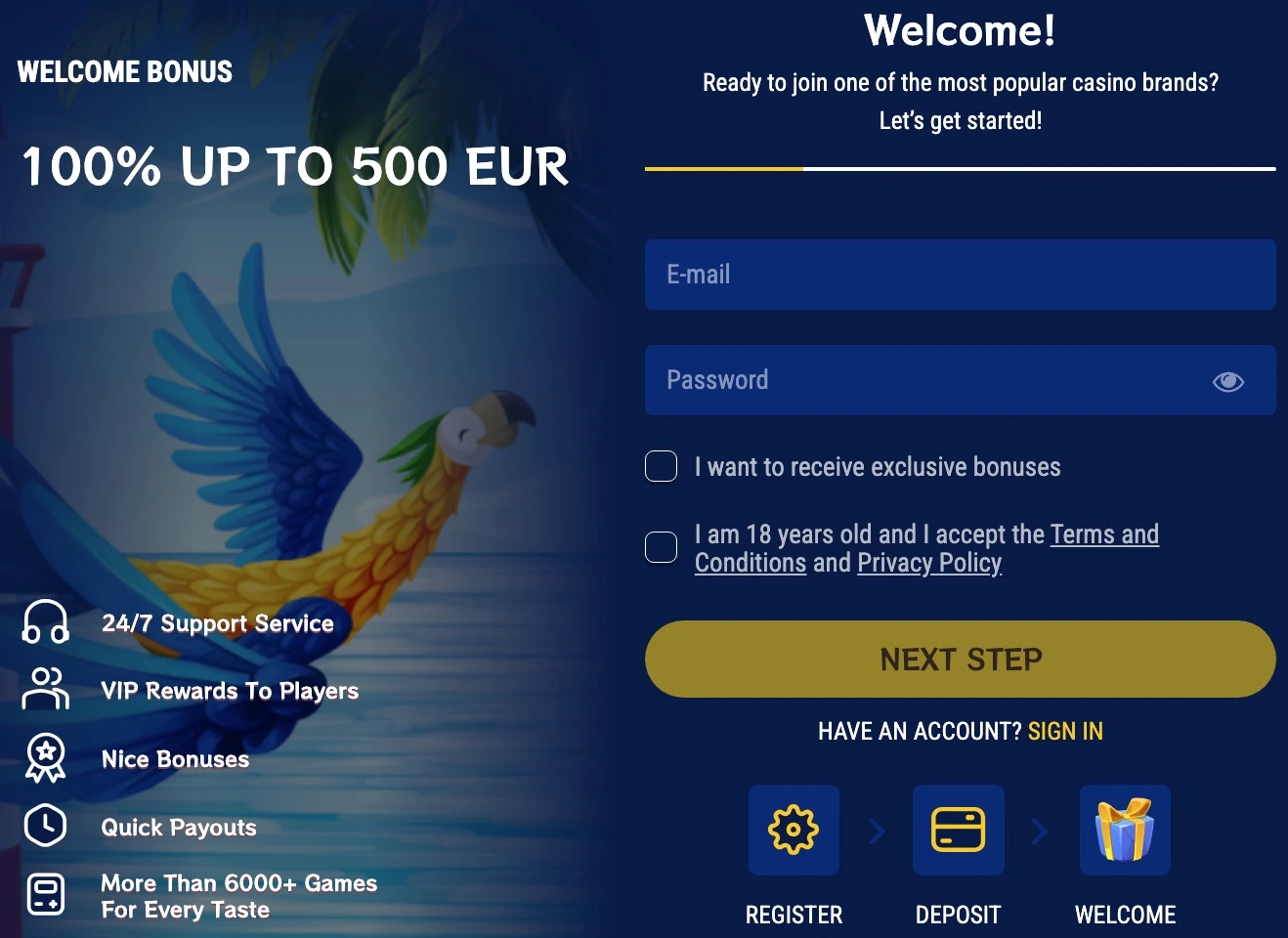
Step 1: account credentials
Enter:
- email address;
- password;
- preferred account currency.
The selected currency becomes the wallet currency for deposits, withdrawals and displayed balances. Supported account currencies are covered on the Payments page.
Step 2: personal details
Complete the profile with:
- first and last name;
- date of birth;
- phone number;
- residential address;
- postal code;
- confirmation of legal gambling age and acceptance of the account terms.
The registration details must identify the player who will use the account. We allow one account per player, and duplicate accounts are prohibited. The profile name must also match the owner of the payment method used for withdrawals.
Activate the account by email
Registration is completed through the activation link sent to the submitted email address. Once the email is confirmed, the same login can be used for the casino lobby, Cashier, bonus area, VIP dashboard and tournaments.
Email Confirmation Not Received
A missing activation email can be caused by a delivery delay, an incorrectly entered address or an expired activation link. If the original message does not arrive or no longer works, 24/7 Live Chat or email support can issue the next account-recovery step.
Support is available through Live Chat and at [email protected]. English and German support are available.
Reset a Forgotten Password
- Select
Forgot password?on the login form. - Enter the registered email address.
- Open the password-reset message.
- Follow the single-use reset link.
- Create a new password and sign in again.
A reset link is single-use. If it has expired, return to the password-reset form and request a new message for the registered email address.
Kakadu Casino Login Problems
| Problem | Direct solution |
|---|---|
| Incorrect password | Use password reset with the registered email, then sign in with the new password |
| Activation incomplete | Request a new activation message through Live Chat or email support, then complete email confirmation |
| Page loops after login | Clear the current site session, reopen the login page and sign in once |
| Mobile game opens but account does not | Enable cookies for the casino domain, reload the account page and sign in again |
Incorrect email or password
The login form requires the email attached to the account, not a display name or payment email unless those addresses are the same. If the password is uncertain, password reset is safer than repeated guessing.
Login page keeps reloading
A stale browser session can leave the page returning to the login form after credentials are accepted. Clearing the current site session and reopening the login page starts a fresh sign-in flow.
Mobile account does not stay signed in
Cookies need to be enabled for the casino domain. If a game opens in one tab but the account page loses the session, close the extra game tab, reload the casino account page and sign in again.
For mobile browser setup, see Kakadu Casino Mobile and App.
Kakadu Casino Account Dashboard
After login, the dashboard connects the player account to the main casino functions:
- wallet balance and transaction history;
- deposit and withdrawal controls;
- active bonuses and wagering progress;
- VIP level and Comp Point balance;
- tournament rank;
- favourite and recently played games;
- verification documents;
- account security settings.
This is the same profile used across the game lobby, bonuses, VIP program and mobile browser version.
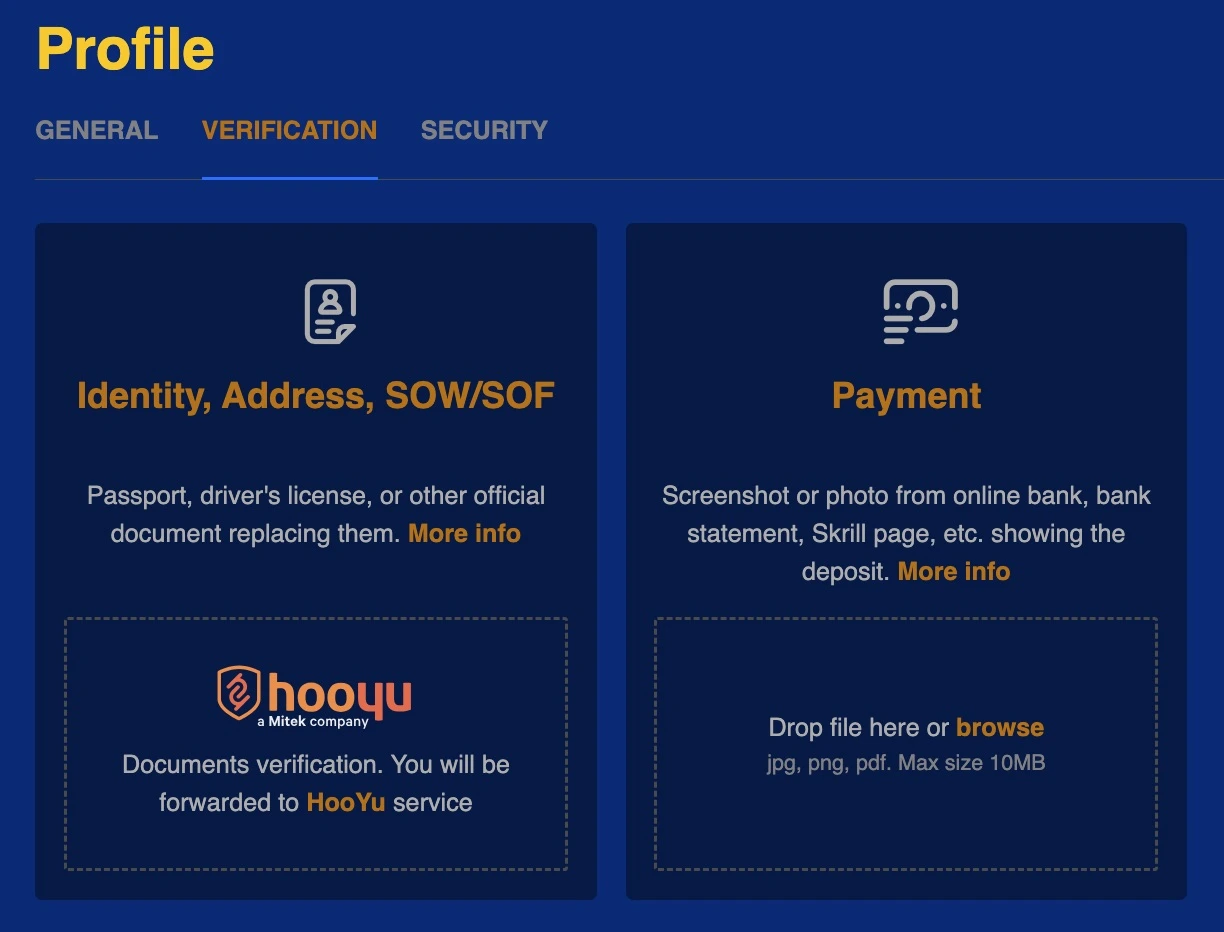
Verification and Document Upload
Verification documents can be uploaded from the profile verification area. Accepted documents, file requirements and review times are covered under Kakadu Casino Payments.
Account Support
Our account support is available through 24/7 Live Chat and [email protected]. English and German support are available.
When contacting support about an access problem, include the registered email address, device or browser, a screenshot when relevant, and a short description of the error. Passwords and one-time codes should never be sent to support.
Account Security
A few account controls prevent most avoidable access problems:
- use a password that is not shared with another site;
- sign out after using a shared device;
- reset a forgotten or compromised password through the registered email;
- do not share the account password or one-time codes.
If account access is lost, use password recovery or contact support instead of creating a duplicate account.
Login on Mobile
Android, iPhone and iPad use the same email, password, wallet and profile as desktop. No separate mobile registration exists. The casino runs in current Chrome on Android and Safari on iOS, and it can be added to the home screen without downloading an APK.
Frequently Asked Questions
How do I log in to Kakadu Casino?
Enter the email address used during registration and the account password, then select Log In. The player dashboard opens with the wallet, Cashier, bonuses, VIP progress and account settings.
Can I use the same login on mobile?
Yes. Desktop and mobile browsers use the same Kakadu Casino account. The email, password, wallet balance, VIP level, bonuses and transaction history remain attached to that one profile.
How do I create an account?
Registration begins with an email, password and account currency. The second step collects the player’s name, date of birth, phone number, residential address and postal code. Registration is completed through the activation link sent by email.
Why have I not received the confirmation email?
The activation message may be delayed, the submitted email may be incorrect or the original link may have expired. Live Chat or email support can handle a missing or expired activation message.
How do I reset my password?
Select Forgot password?, enter the registered email address and use the single-use link from the reset message. If the link expires, request another one from the password-reset form.
Where can I upload verification documents?
Document upload is available from the profile verification area after login. BMP, JPEG, JPG and PNG files are accepted up to 2 MB each. The complete document requirements are on the Payments page.
Can I create more than one account?
No. One account is allowed per player and duplicate accounts are prohibited. If access to an existing account is lost, use password recovery or contact support rather than registering again.
Sign In to Kakadu Casino
Use the existing account for the game lobby, Cashier, bonus balance, VIP progress and tournament access. New players can create one account and activate it through email confirmation.